AI helps technicians detect leaks, analyze usage patterns, and predict maintenance needs, enabling faster repairs, reduced water loss, and more efficient service.
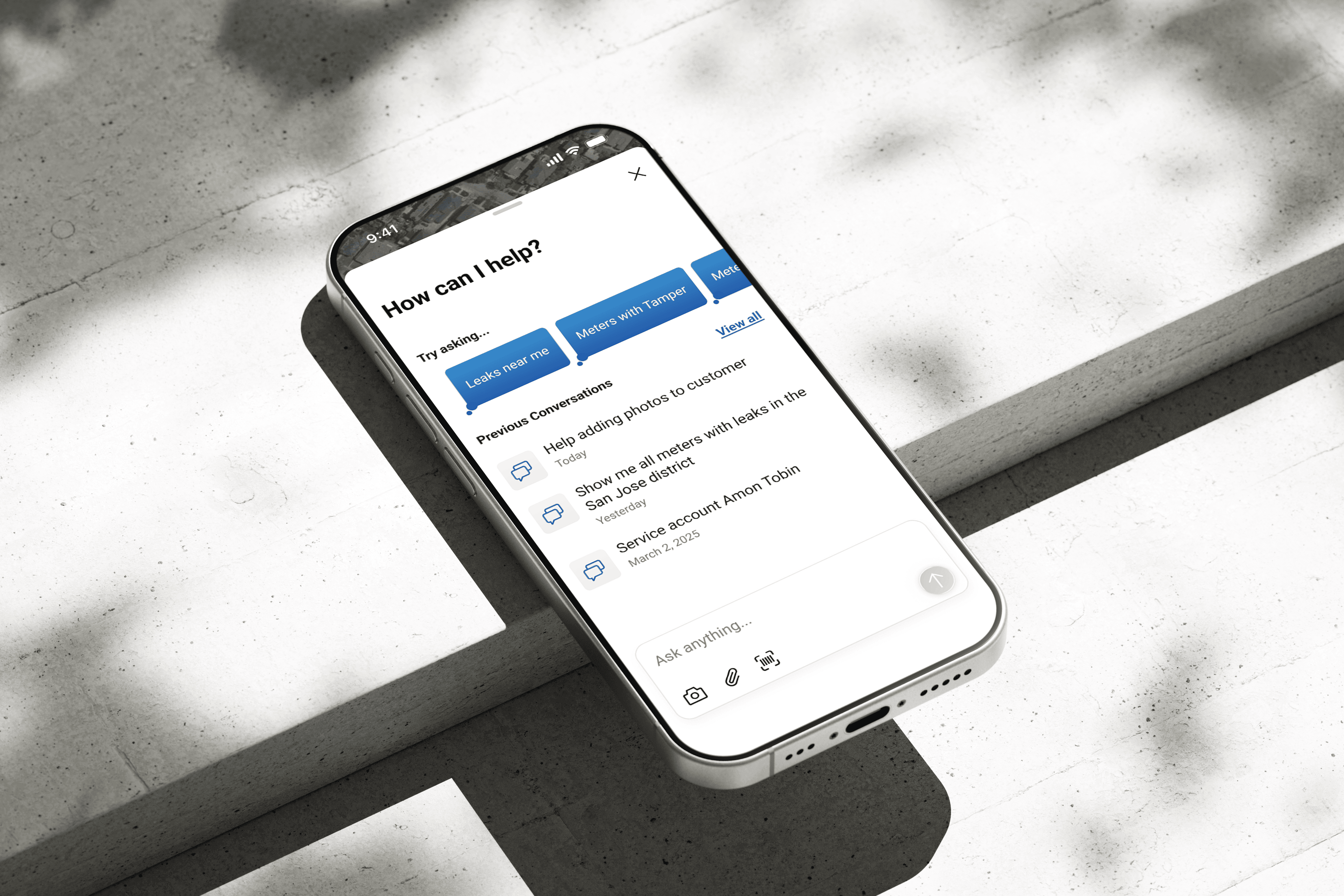
My Role
UX Designer
Tools
Jira, Figma, Fig Jam
Responsibilities
User Flow
UX Design
User Testing - Maze
Hi-Fi Designs
Design Handoff
Overview of BEACON Field App
Beacon Field is a cross-platform mobile app built using .NET MAUI, designed for water utility technicians to access meter data, service locations, and perform field tasks.
The User
Utility technicians and field operators working outdoors — moving between job sites under time pressure. They use the app to locate service addresses, review meter data, respond to alerts, and complete tasks while on the move, requiring quick access to critical information.
The Business Problem
Field technicians are spending too much time researching at each site. How do we make them more efficient?
What I Discovered
The delay wasn't a speed problem — it was an information problem. Techs were jumping between multiple screens to piece together context, had no on-site support to turn to, and were making critical decisions without the right information at the right moment. The real opportunity: bring intelligence closer to the work itself.
Goals
⚡ Reduce time to access information
🧠 Minimize cognitive load
📍 Provide contextual, in-the-moment help
🔄 Improve task completion efficiency
Research
Understanding the Users
To design for real field conditions, I visited a water utility office and spoke directly with field technicians about their daily workflows, frustrations, and openness to AI tools. 4 technicians were selected from a pool of field operators across different service areas.
Research Insights
78%
Found navigation across multiple screens slowed them down on-site
72%
Relied on memory or support teams to resolve issues in the field
65%
The time spent diagnosing leaks impacted their response time
60%
Were open to AI assistance but needed it to feel relevant to their current task
62%
Adding photos of leak and anomaly fixes on-site felt like extra steps — raising the need for AI to log photo.
How Might We..
provide instant, contextual assistance to technicians without disrupting their workflow?
Feedback loop
To validate the initial proposed AI solutions, I conducted feedback sessions with field technicians using the Maze platform.
The goal was to ensure the assistance provided was truly contextual and didn't create new friction in their high-pressure work environment.
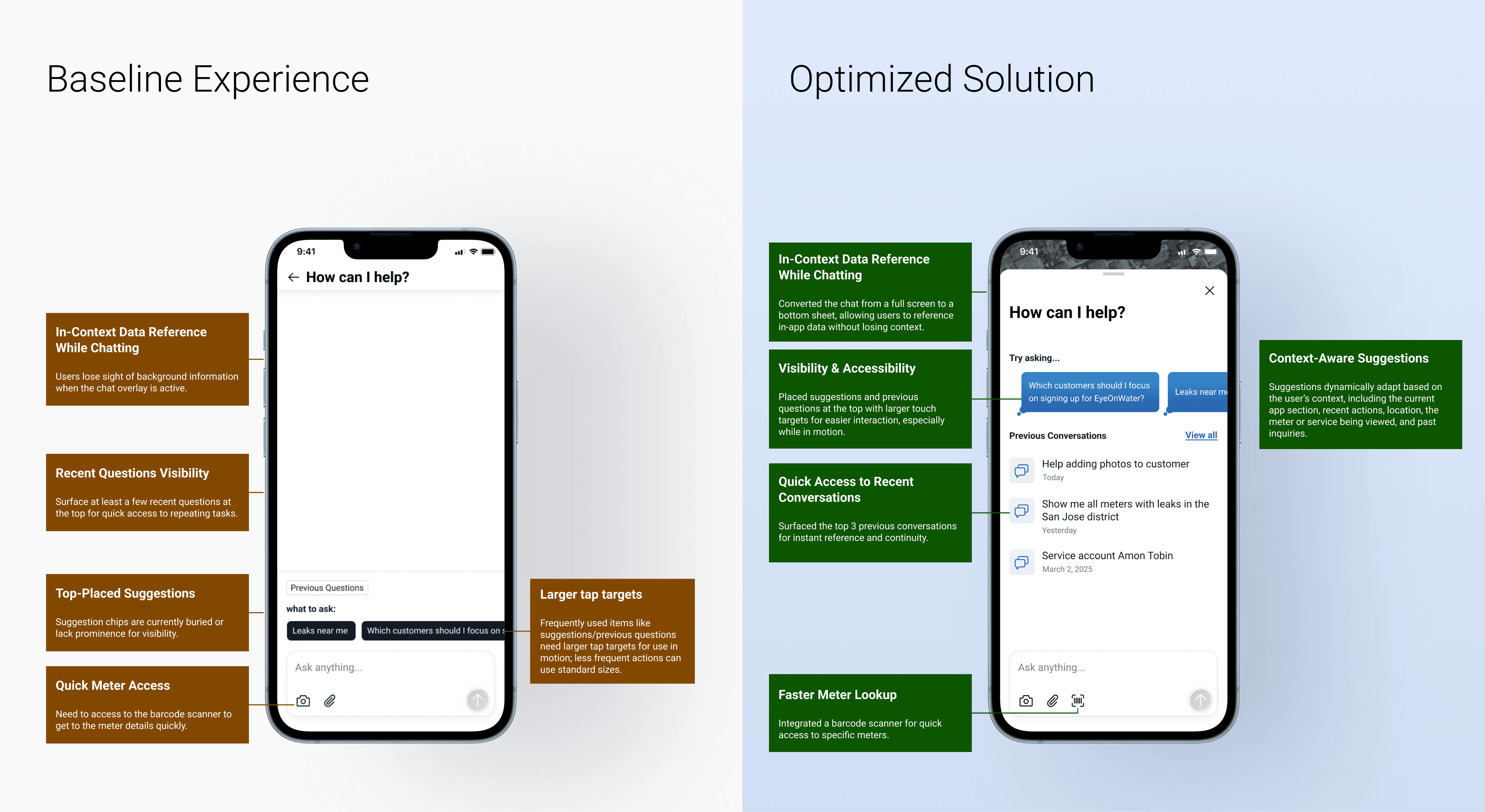
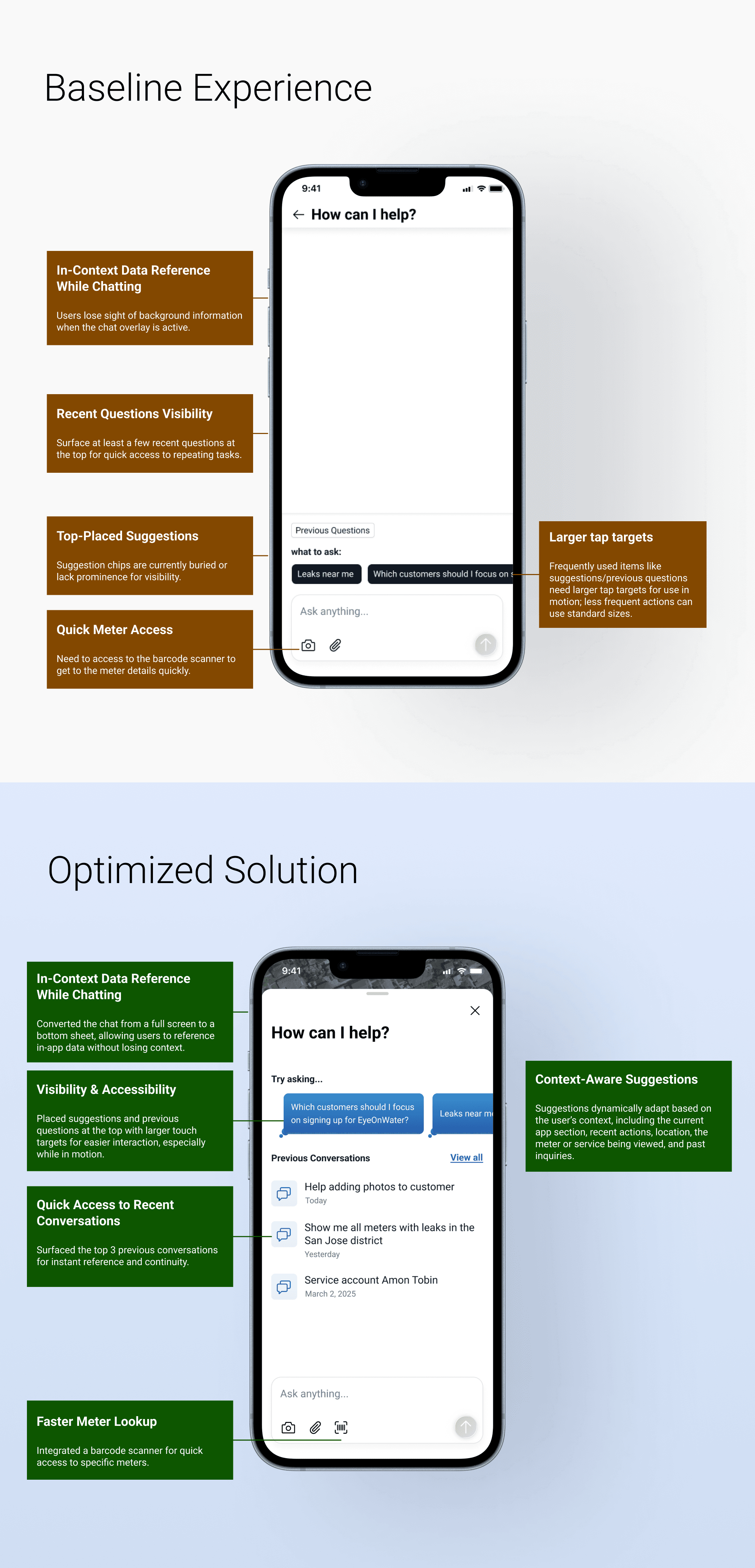
Chat Experience - Analyzing Leak
Feedback
Field technicians work in fast-paced, hands-on environments where stopping to navigate between screens costs real time.
Users lost context switching between chat and meter data
AI responses were too long for quick, on-field decisions

Proposed Solution
Solution 1 — Seamless Context Switching
Chat moved to a bottom sheet — users drag to reference meter data without leaving the screen.
Context-aware suggestions reduce the mental load of knowing what to ask next.
Suggestions adapt dynamically based on:
- Current app section
- Recent actions
- Location
- Active meter service
- Past inquiries
Solution 2 — Concise AI Responses
Responses are summarized by default, with the option to view detailed reports, dashboards, and graphs when needed. Follow-up suggestions automatically guide the next question, while helpful tips reduce the need for users to rely on memory during the conversation.
Chat Experience - Leak Nearby
Feedback
Users wanted nearby leaks surfaced along their route for faster response and more efficient field operations

Proposed Solution
When a technician searches "leaks near me"or similar route based questions, they are presented with two options:
List View — shows nearby leaks with the ability to filter by severity, so critical issues are prioritized first
Map View — plots leaks visually, making it easy to identify which ones fall along their current route
Outcome
Giving technicians location-aware information empowers faster decisions.
Outcome
85% of users experienced improved workflow continuity and faster access to critical information through AI summaries and contextual suggestions.
78% of users reported increased confidence due to clear guidance and contextual assistance throughout the conversation experience.
Challenges and Constraints
Balancing Context and Simplicity
Technicians needed quick access to meter information while continuing the conversation. The challenge was surfacing contextual data without overwhelming the chat interface or interrupting the workflow.
Designing for In-Motion Usage
Field technicians often interact with the application while moving between locations. This required concise responses, larger touch targets, quick suggestions, and reduced cognitive load.
Reflection and Next Steps
I learned that designing an AI chatbot is less about defining every possible question-and-answer pair and more about designing a flexible conversation system. Instead of scripting responses, my focus shifted toward identifying user intents, defining response patterns, and designing how information is presented through the UI. I also realized the importance of handling uncertainty and failure states, ensuring the experience remains helpful even when the AI does not fully understand the user’s input.
Next Steps:
Continue learning about user-AI conversation patterns to better understand how to design effective and scalable AI experiences.
Review real user interactions to identify opportunities for improving clarity, usability, and trust in AI experiences.