Creating and Tracking Fitbit Activity Challenges with Friends
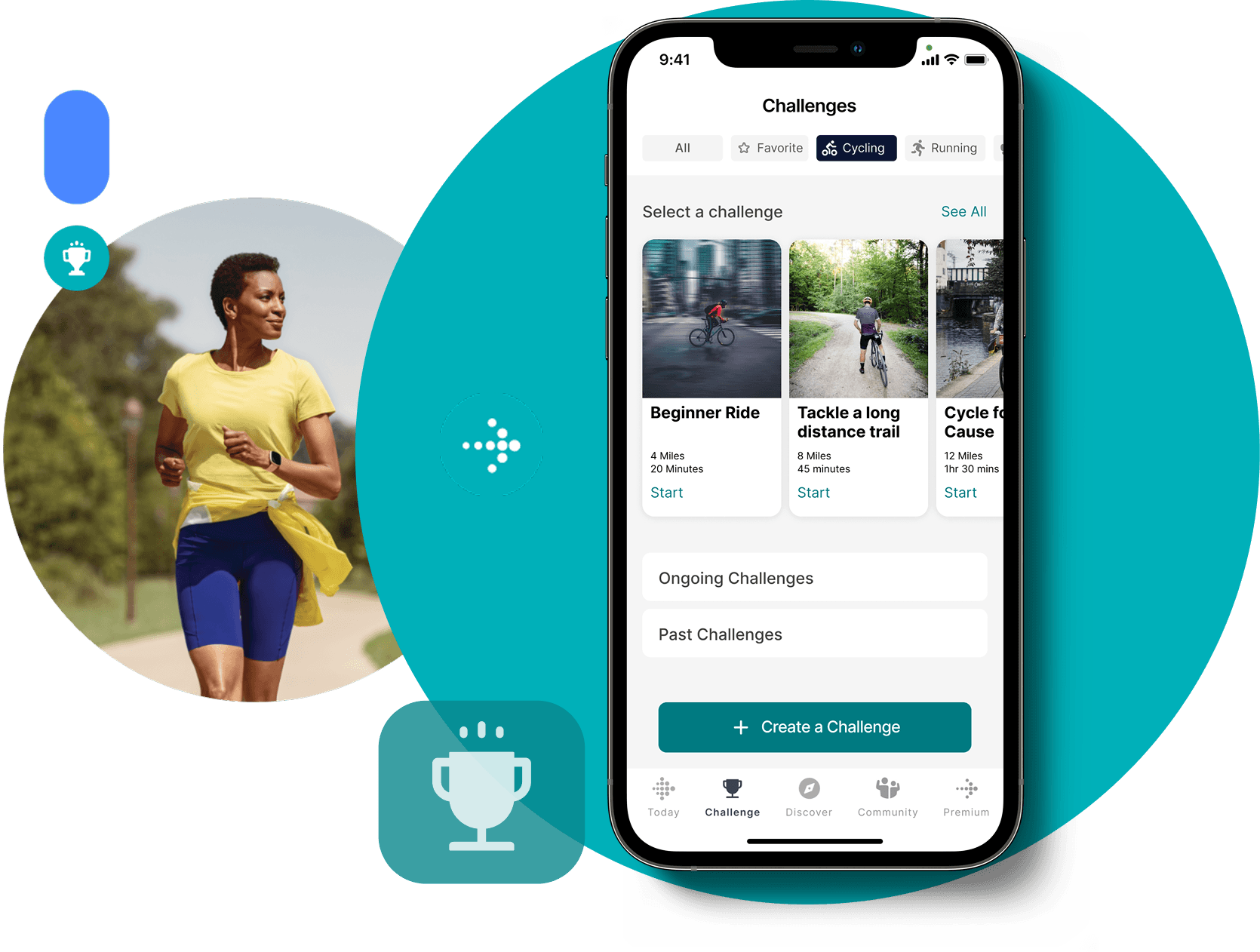
My Role
UX Designer
Tools
Figma, Figjam, Notion
Responsibilities
UX Research
UX Design
User Testing
Hi-Fi Design
Prototyping
About Fitbit
Fitbit, leading wearable tech since 2007, offers diverse devices from step trackers to smartwatches. Its app, social features, sleep tracking, and coaching support millions of users worldwide.
About Project
This project was created during my master’s program-user interface class. As it focuses on redesigning Fitbit’s “Challenges” feature, I aimed for a realistic interface. I chose it due to my interest in Fitbit devices and challenges connecting with fitness friends.
**It serves solely for educational purposes, with all credits to Fitbit.
Goals
Enable users to create custom challenges, clearly communicate the statistics of the challenge, and help users socialize with friends by motivating them while establishing and maintaining the Fitbit look and styling.
User Story 1
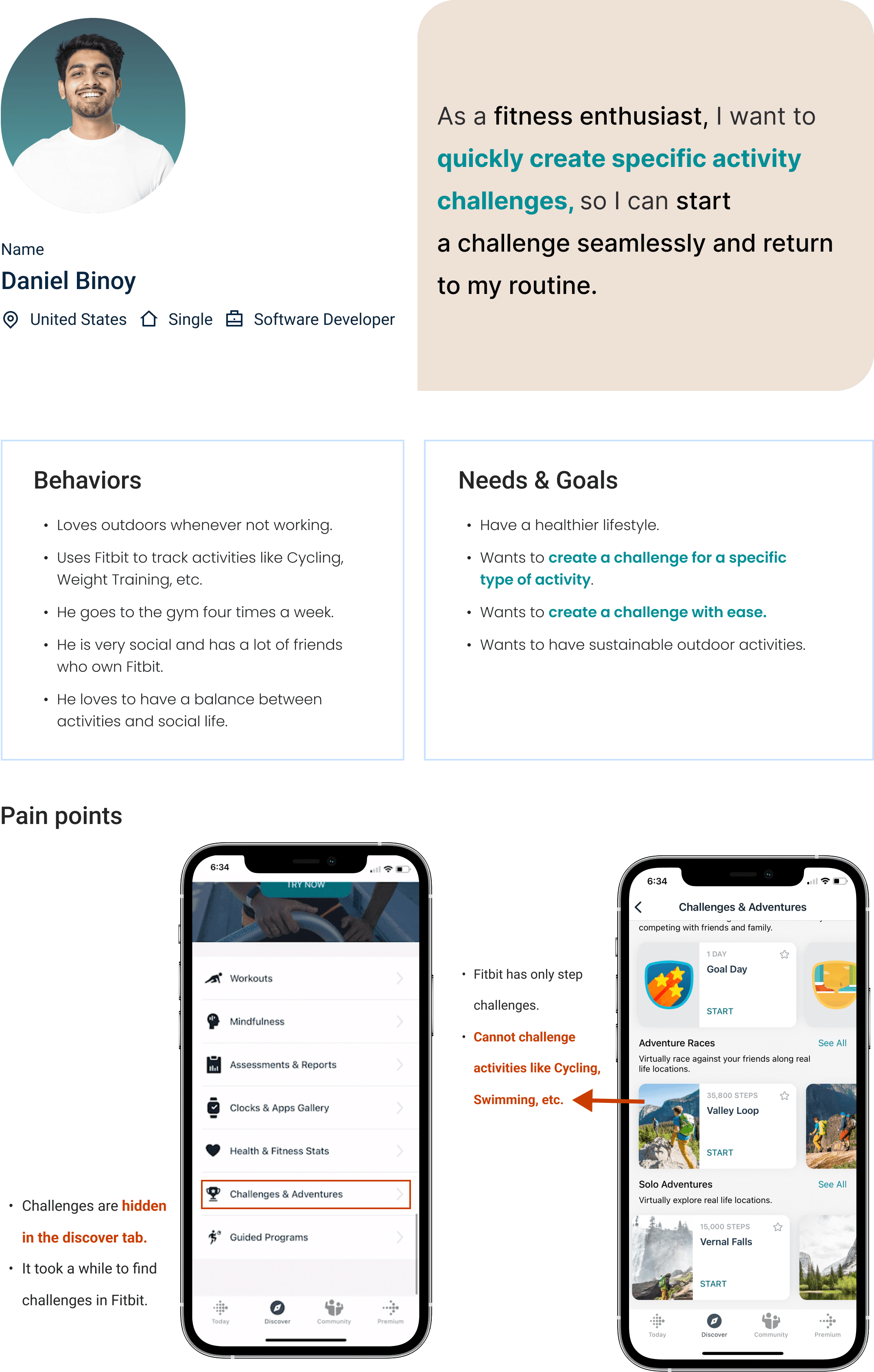
Daniel is a fitness enthusiast and is active six days a week.
User Story 2
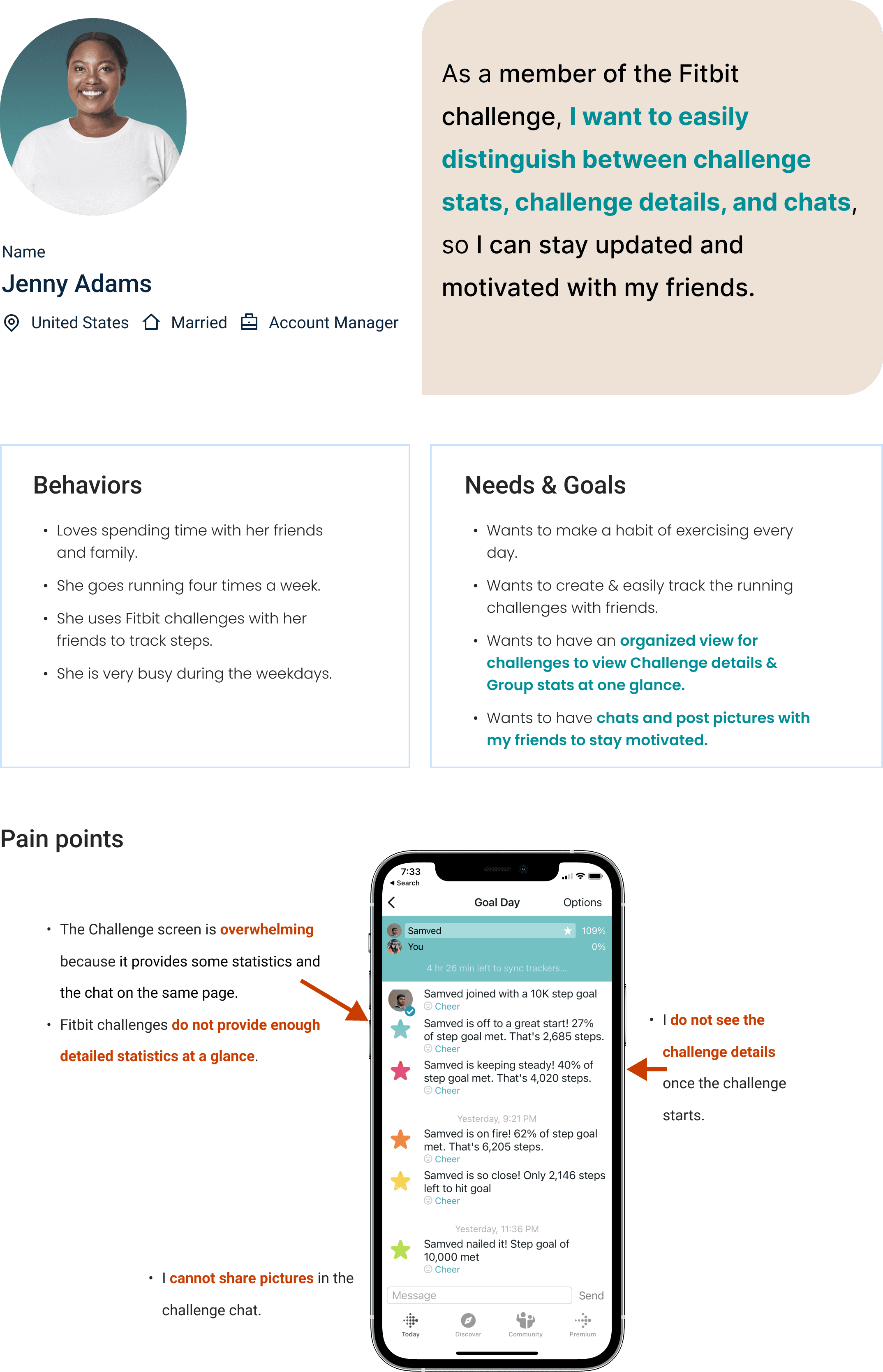
Jenny leads a busy lifestyle and seeks simple ways to stay motivated and prioritize fitness.
How Might We..
help fitbit users create a Challenge for a specific activity quickly and easily read challenge stats, challenge details, and chats so that they can stay updated and motivated with their friends?
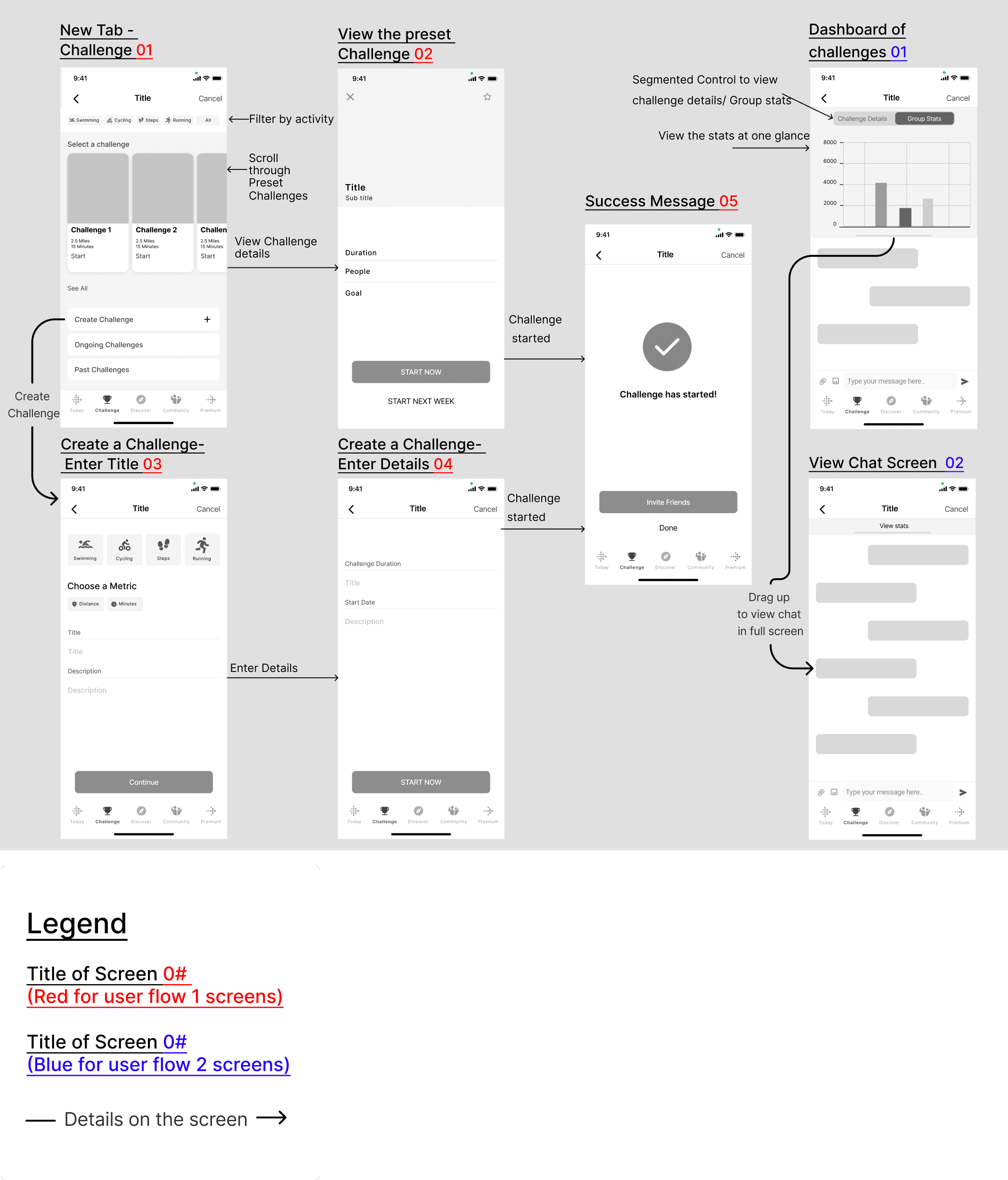
User Flow
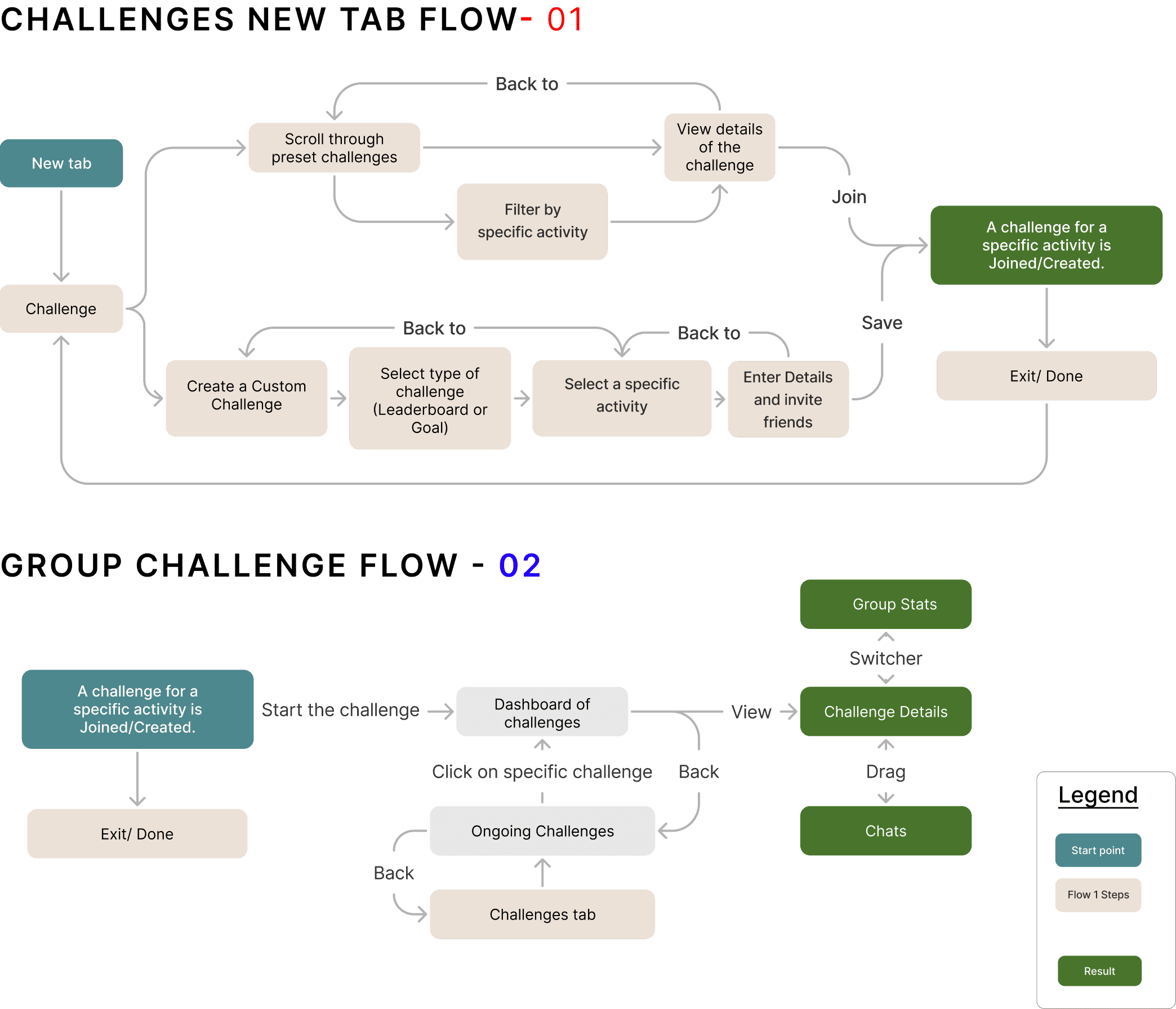
Leveraging personas and user stories, I defined how users would navigate through the product to achieve their goals while addressing key user pain points.
Structuring the Experience
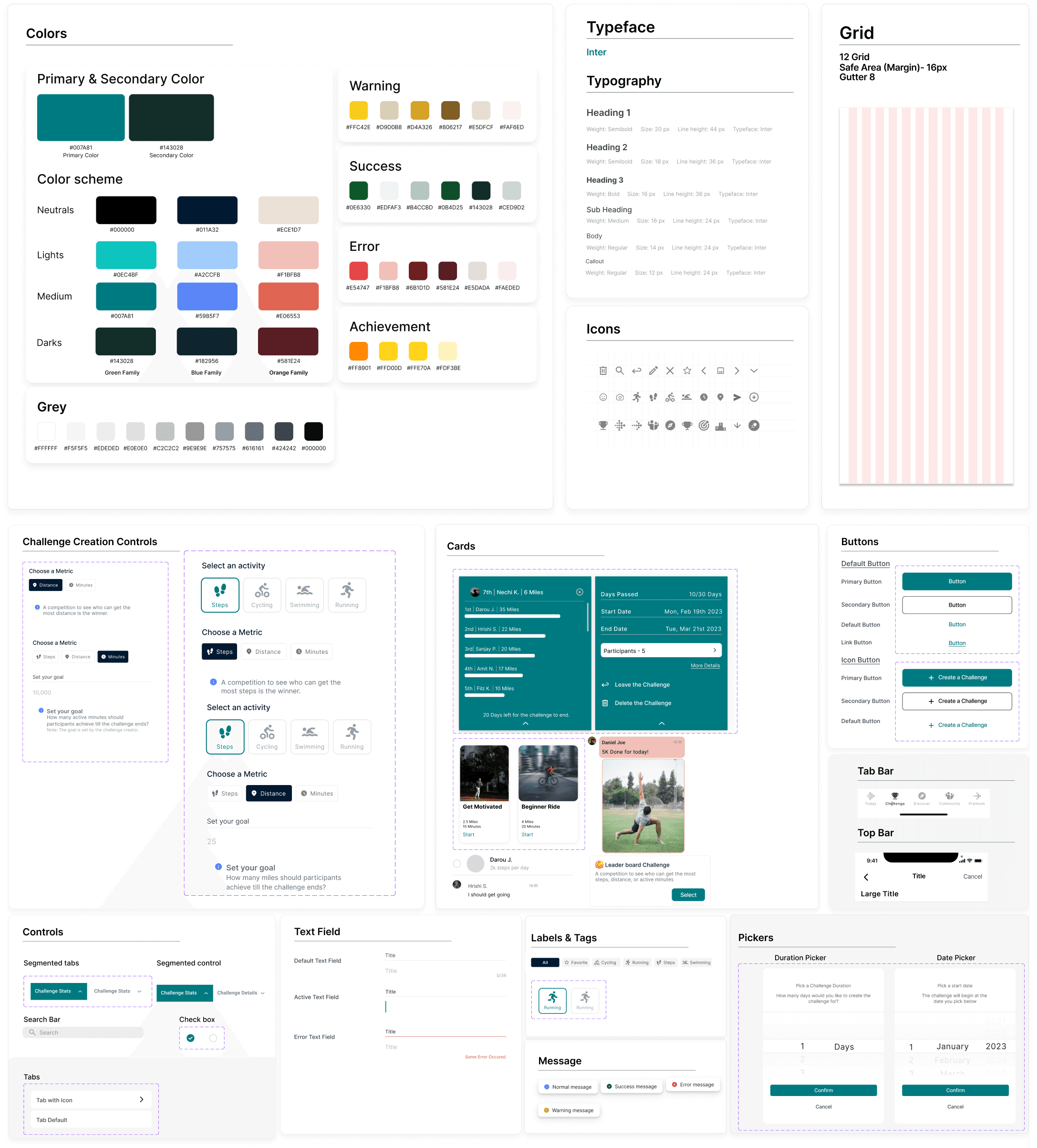
Style Guide
For the redesign of Fitbit’s “Challenges” feature, I defined a consistent interface and reusable UI components to maintain design consistency and realism.
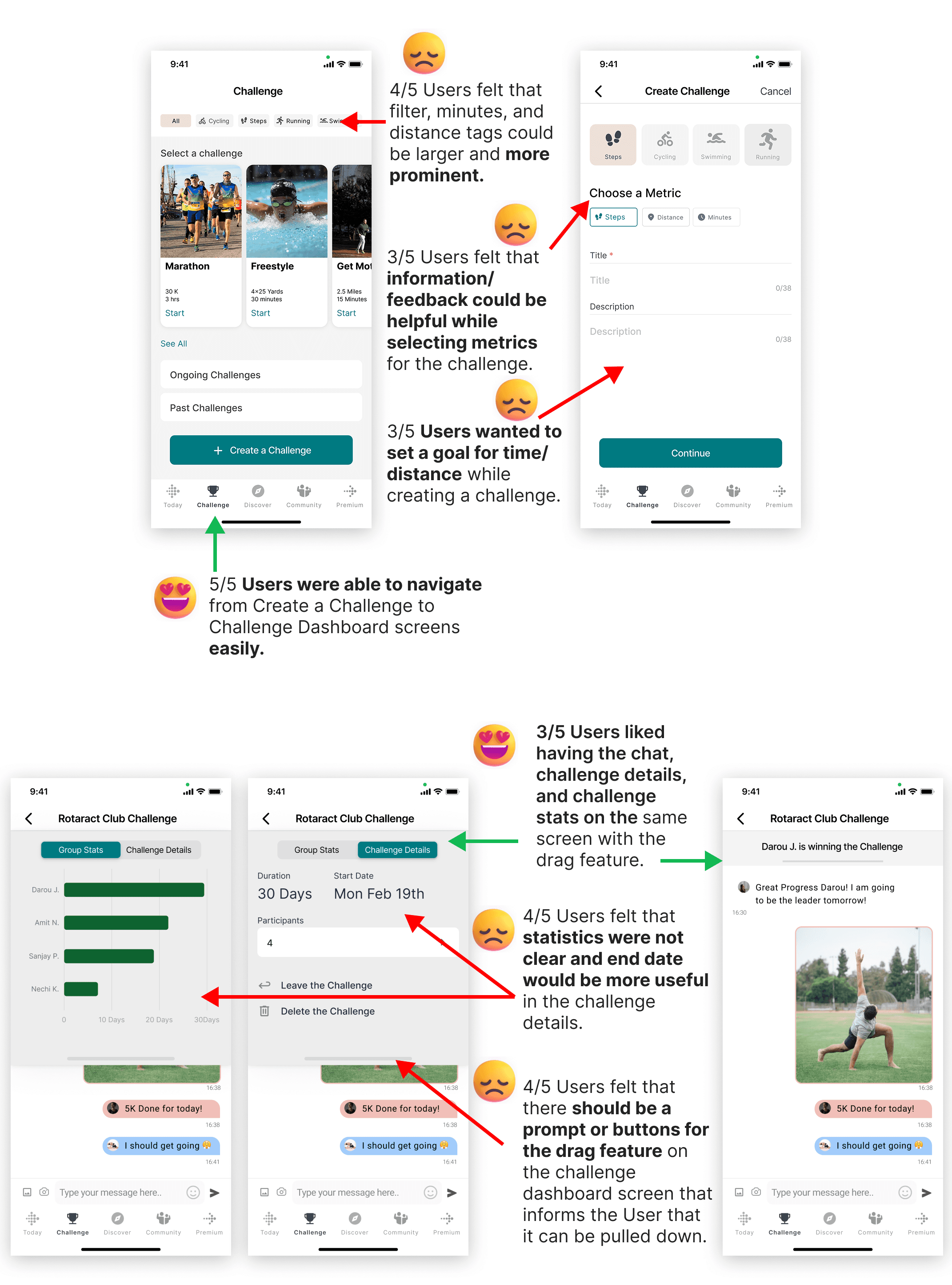
Usability Test - 1
After building the mid-fidelity prototype from the initial design system, I conducted usability testing with five users over two rounds. The feedback summary is outlined below.

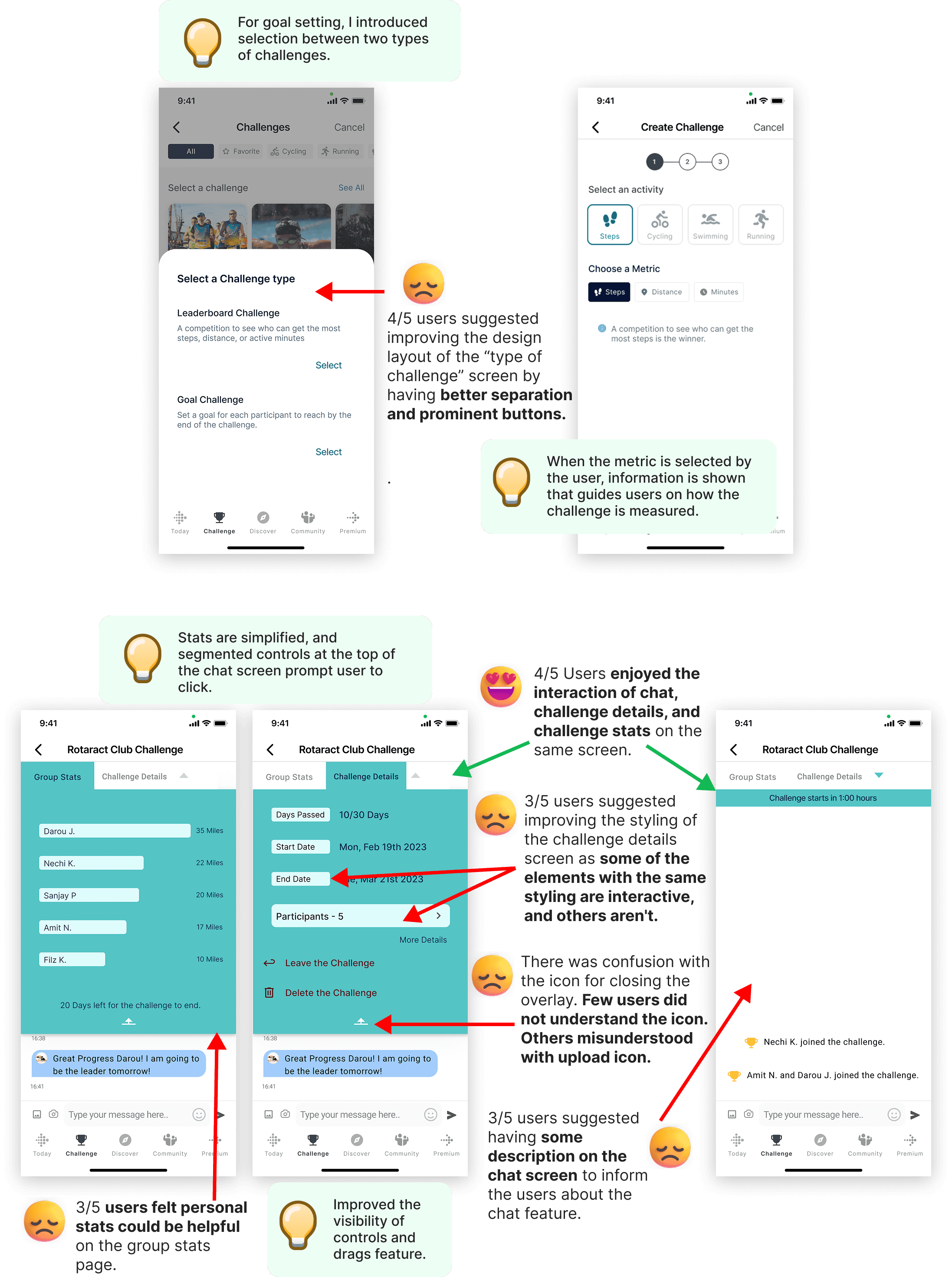
Usability Test - 2
Based on feedback from the first round of testing, I consolidated solutions and iterated on the design. The updated prototype was then tested again to validate improvements and gather further insights.
Fitbit Challenge Experience
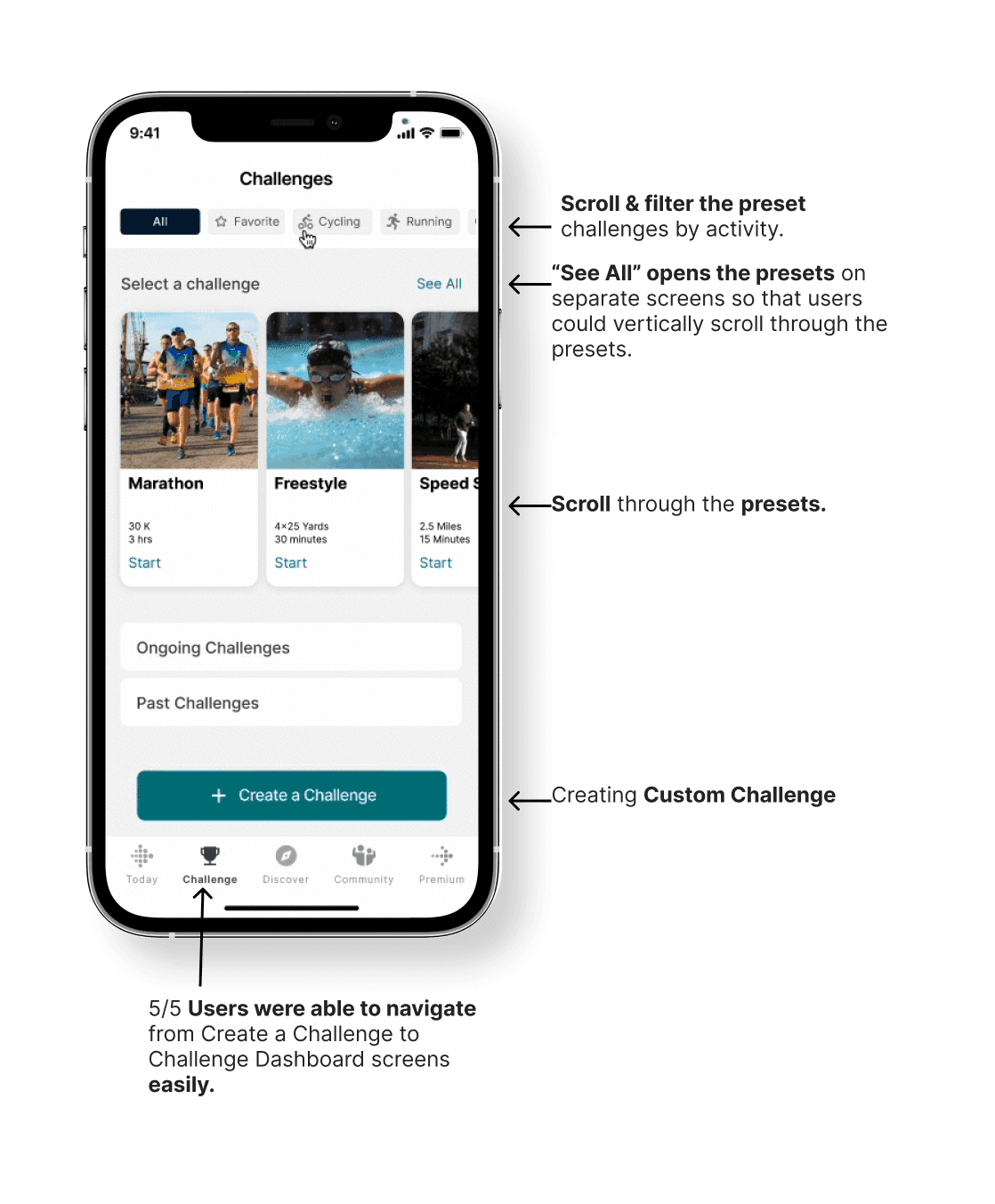
New challenge tab
Surfacing challenges in the tab bar gives the feature a dedicated home — removing it from the discover tab where it was easily overlooked. Users can browse preset challenges or create their own from one place.
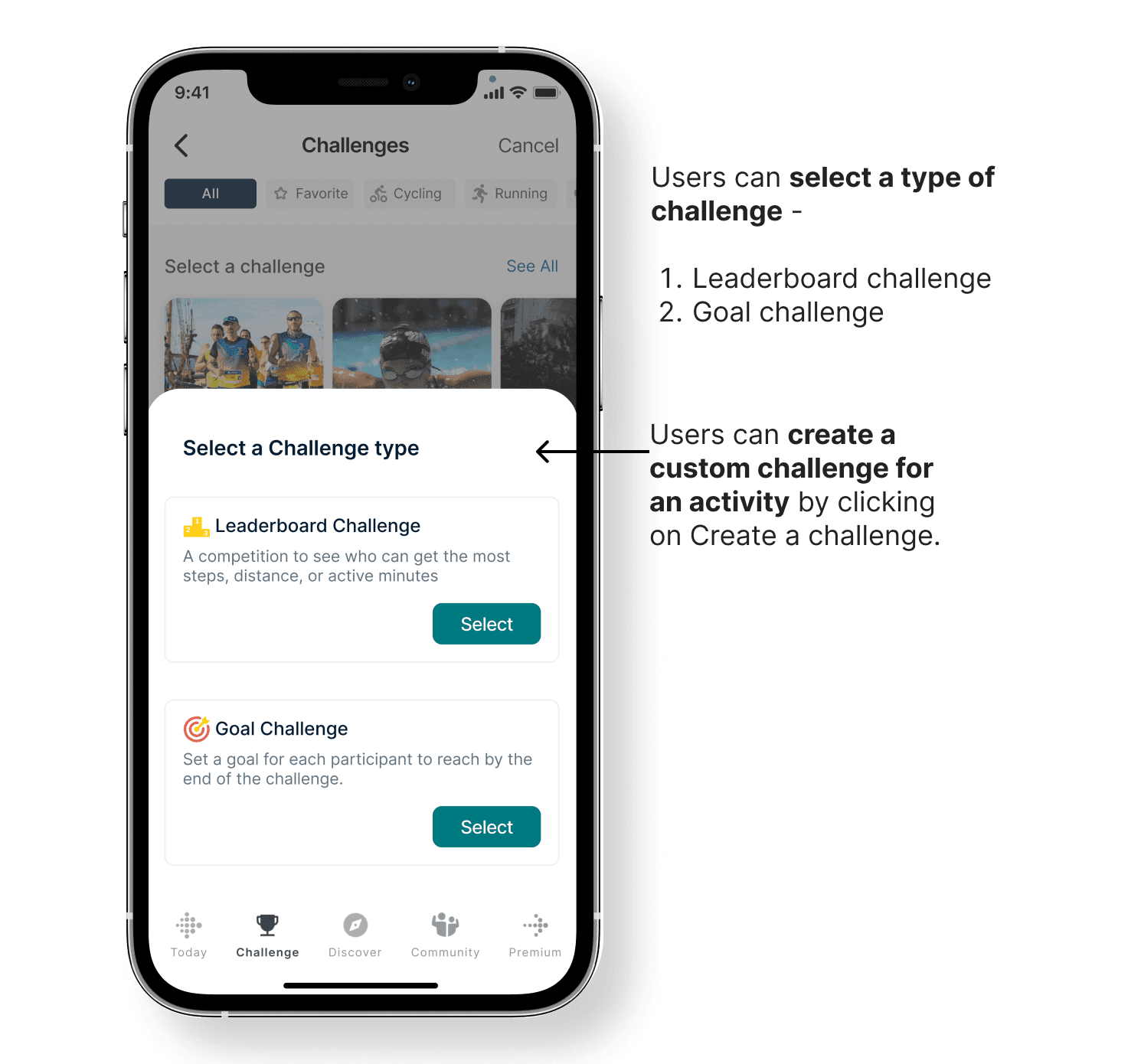
Creating a custom challenge
Users begin by choosing between a leaderboard challenge — ranked by steps, distance, or active minutes — or a goal challenge where each participant works toward a shared target. Either type can then be tailored to a specific activity, giving users full control over how their challenge is structured and measured.
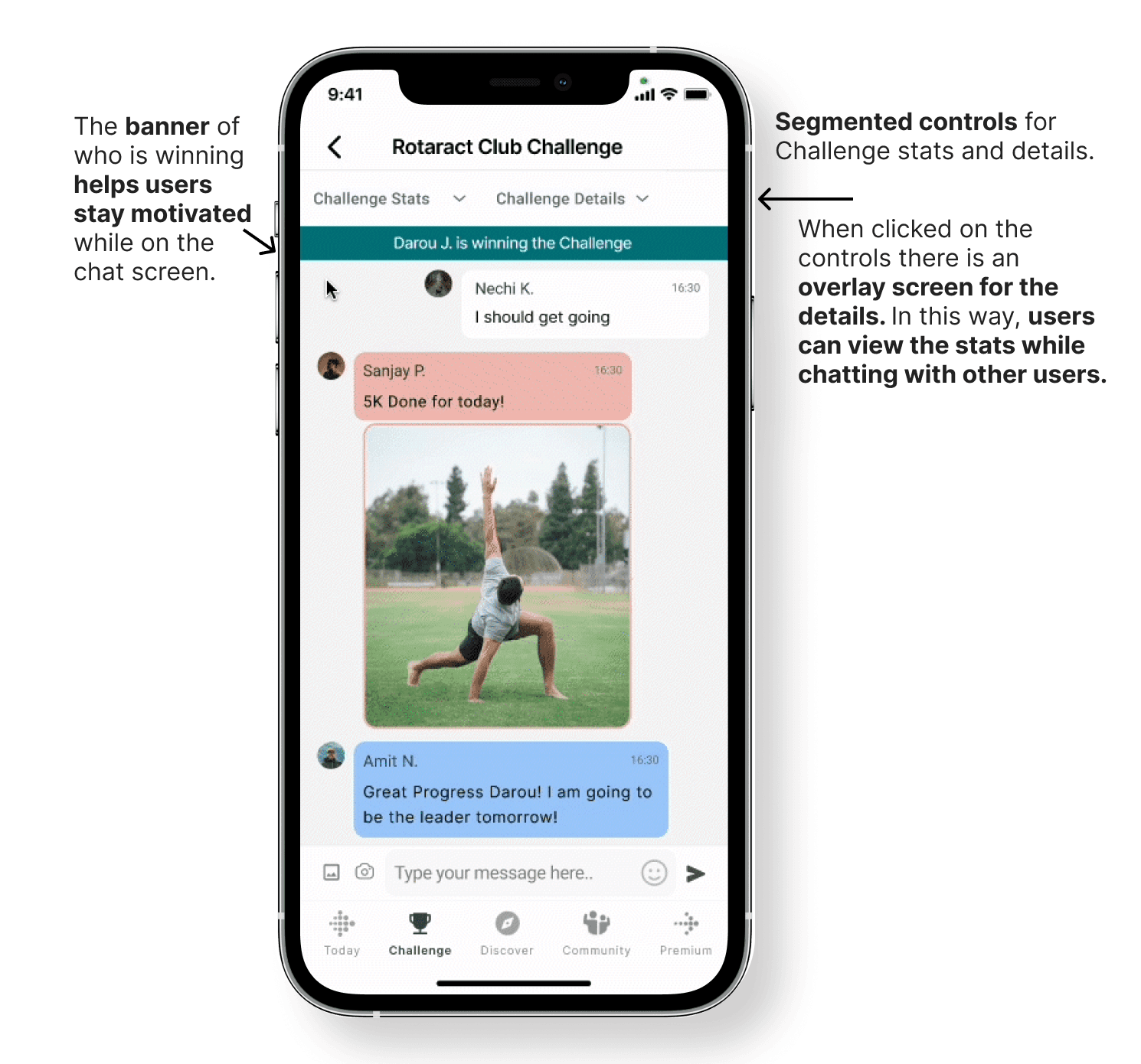
Chat screen
The emotional core. Color-coded messages reduce cognitive load in group threads.
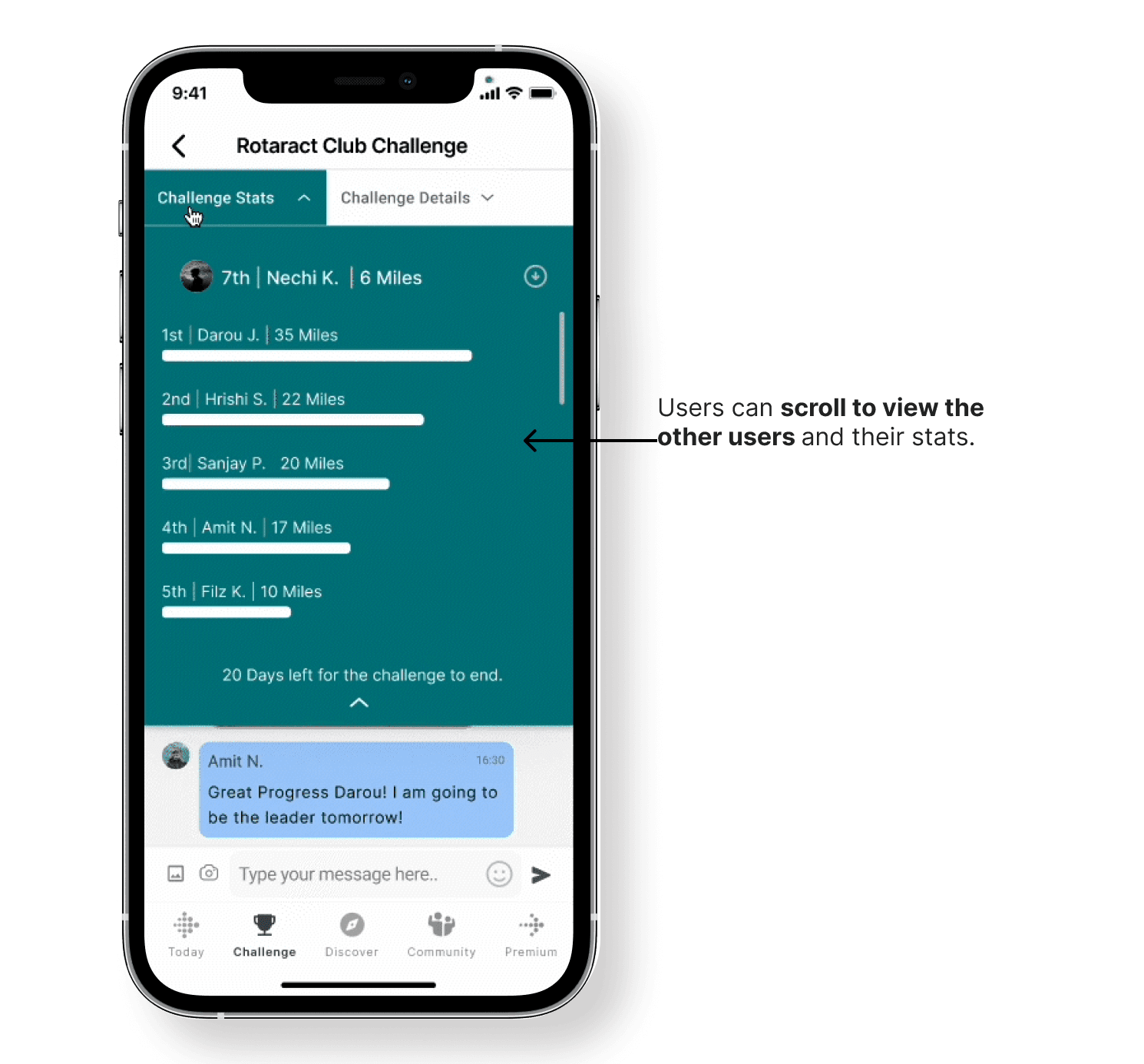
Statistics
Statistics overlay on the chat screen lets users dig into challenge details without switching screens — keeping momentum intact.
Challenges while designing
While working on Fitbit designs, I found the challenge screen dashboard design task challenging, as there was conflicting feedback during my first round of usability tests.
To achieve clarity, I experimented with three layouts and collected feedback from the user in the 1st and 2nd usability tests.
As I had feedback on all the screens, I was able to make informed design decisions.
Next Steps
In future iterations, I would explore adding features such as invite-based challenge sharing, allowing users to join challenges via a simple link. I would also design private chat functionality within challenge groups to improve collaboration and engagement. Additionally, I would extend the experience to wearable devices by designing how users could view challenge statistics on Fitbit, ensuring a seamless cross-device experience.